Describe an app.
Tap it.
Say what you want, or type it. Studio writes a real native app for your FuriPhone, installs it, and puts it on your home screen. Calls, sensors, the camera, biometrics: your app can use them all.
Bring your own key: Anthropic, OpenAI or OpenRouter. Speech is transcribed on the phone, so your voice never leaves it.
Your phone is a real computer. Now you can program it by talking.
Real Linux apps, not web wrappers
FuriOS is Debian on a phone. Studio writes GTK4 and libadwaita apps, the same toolkit as the GNOME desktop, running directly on the device.
Nothing is hidden from you
Every app is a git repository. Each change the AI makes is a commit you can read, so the whole build is auditable. Export the source or the package whenever you like.
Access to the hardware
Modem, location, sensors, biometrics, torch, haptics and on-device ML, all through documented FuriOS interfaces. Studio already knows how to call them.
Three steps. One sentence.
Open Studio
Tap its icon on your home screen, or install Studio from the software store. Paste in your API key once, from the app or the command line.
Name it, then describe it
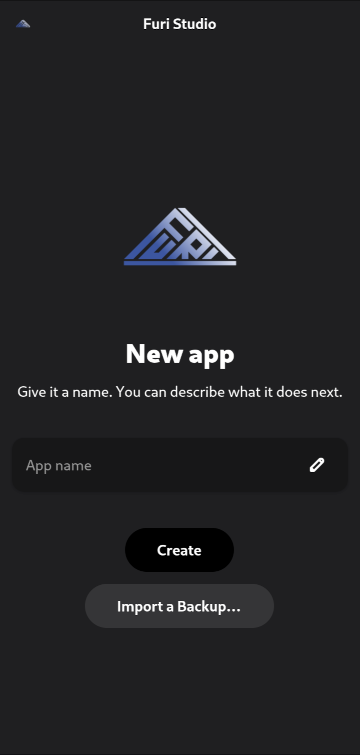
Create a new app, give it a name, and say what you want it to do. Talk to it or type, whichever suits. It asks only what it can’t sensibly guess.
Watch it appear
You’ll see your app open and close as it grows. When it settles, it is installed and pinned to your home screen. Want a change? Say so, and it rebuilds in place.
Every app, every version, every change.
Talk to it. Privately.
Describing an app out loud is quicker than writing it down, and Whisper runs on the phone itself: nothing is sent away to be transcribed. Choose Fast, Balanced or Accurate, or switch it off and type.
Every version kept
Each build is packaged as you go. Look back through everything you have made of an app, and switch to any earlier version.
A history you can read
Every app is a git repository, and each change is a commit. Read exactly how your app came to be, which is rather the point if anyone has to audit it.
Take it with you
Export the source, or export the package. Nothing your app is made of is locked inside Studio.
As many as you like
Build a whole shelf of apps and keep iterating on all of them. Each one remembers its own conversation, so you can pick any of them up where you left off.
Or drive it from a terminal
Studio is a native app, written in Rust. Everything it does is available from the command line too, if that is how you prefer to work.
The whole phone, as an API.
Every FuriOS service is exposed over D-Bus or a library, and Studio already knows each one’s public interface, with working examples tested on a real FuriPhone.
Calls and messages
Place and answer calls, send SMS and MMS, read signal and SIM state, run USSD codes, switch mobile data. VoLTE included.
- Calls
- SMS
- MMS
- USSD
- Mobile data
Notifications and alerts
Post a notification with your own buttons on it, so a tap comes straight back into your app. Formatted text, a sound, and your icon on the lock screen.
- Buttons that act
- Sound
- Rich text
- Lock screen
- Starts with the session
Motion and sensors
Raw motion data for games and fitness, plus the high-level orientation, light, proximity and compass readings.
- Accelerometer
- Gyroscope
- Magnetometer
- Barometer
- Step counter
- Light
- Proximity
- Compass
Location
Where you are, how fast you’re moving and which way you’re heading, for trackers, geofences and maps.
- Position
- Speed
- Heading
Biometrics
Lock a vault behind the user’s own biometrics, face or fingerprint, whichever their phone has. Enrol and check them, or detect and recognise faces inside your own app.
- Unlock
- Face
- Fingerprint
- Enrolment
- Face detection
Camera and media
Live camera frames into GStreamer and GTK, video playback built in, and audio through PulseAudio.
- Camera feed
- Video
- Audio
Feel and light
Vibration patterns, event sounds and the notification LED. Switch the torch on, or react to the side assistant button.
- Haptics
- Sounds
- LED
- Torch
- Assistant button
Power and connectivity
Battery level and charging, power-saver and performance profiles, network status, and Wi-Fi hotspot modes.
- Battery
- Power profiles
- Network
- Wi-Fi modes
Websites as apps
Run a live site as a real app: your own window, your own icon on the home screen, opening straight where you want. Wrap a web app you already have, or ship your documentation inside the app to read offline.
- Live sites
- Its own window
- Home-screen icon
- Opens a URL
- Offline docs
And the everyday stuff
- Calendars
- Contacts
- Password keyring
- Keep screen on
- Open links and files
- Install Debian packages
- Search OpenStore and F-Droid
- Settings that persist
Responsive and theme-aware apps.
Portrait and landscape
Layouts adapt as you rotate, make room for the keyboard, and still work on a monitor when docked.
Your theme
Dark or light mode, your accent colour and the FuriOS glass theme are picked up automatically.
Your text size
System type styles throughout, so Large Text and scaling just work.
One-step install
Icon, app-grid entry and home-screen pin, with no root. Uninstalls just as cleanly.
Try one of these.
Say one of these to Studio, or paste it in, and see what comes back.
Build me a workout timer with intervals, a big countdown, and a vibration when each interval ends.
haptics · adaptive layoutScrape a website I name and turn it into a local app I can search offline.
http · offlineBuild a notes app that only opens after a biometric check.
biometrics · keyringBuild a spirit level and compass in one screen, big and readable outdoors.
sensorsMake a step counter with a daily goal and a weekly chart.
step counter · settingsBuild a trip logger that records my route and speed, then shows the distance when I stop.
locationMake a big-button torch with SOS mode.
torchBuild a quick-text app: one tap sends “On my way” to whoever I pick.
SMS · contactsSixty seconds, once.
- A FuriPhone running FuriOS.
- An API key from Anthropic, OpenAI or OpenRouter, or the URL of a local Ollama server if you would rather run the model yourself. Studio uses whichever you give it, so you either see exactly what you spend or spend nothing at all.
- Nothing else. No terminal, no developer account, no store review.
- Open Studio from your home screen, or install it from the software store.
- Paste in your API key, from the app or the command line. Once.
- Create an app and give it a name.
- Describe it, out loud or typed, and watch it build.